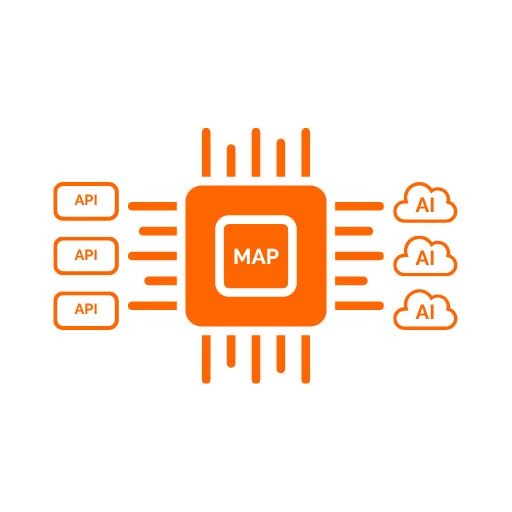
A2A (Agent2Agent) is the platform's second AI-facing protocol, alongside MCP: the same governed tool catalog, opened up so other AI agents — not just chat clients — can discover and call it directly, under the same identity, credentials, and audit controls.
A registered agent's Kind decides what actually executes when a caller reaches it — set once at registration, immutable afterward.
Register a remote A2A agent, bound to an existing target system and authentication profile — the same building blocks every downstream HTTP/SOAP API already uses. The platform ingests and caches the remote agent's Agent Card, then exposes it two ways: composed into a client's own composite card, or reachable directly at its own per-agent route. Nothing about registering an agent grants it network reach or credentials on its own — both exposure paths start closed until an admin opts them in.
The other kind of registered agent executes inside the platform instead of proxying out. An admin defines one or more Skills — a name, a prompt, and an explicit, curated subset of individual tools drawn from the tenant's MCP toolsets and knowledge-base exposures — and a caller's message is handed to that skill's LLM turn, built on Microsoft Agent Framework. The LLM decides which tool to call and with what arguments, or asks a clarifying question instead of failing outright when the request is incomplete.
From registering a remote peer to a caller reaching it, without that caller — or the peer — ever holding a credential the platform doesn't already broker.
An admin registers a remote A2A agent by pointing it at an existing target system and authentication profile — the same two building blocks every downstream HTTP or SOAP API already uses. No new connection type, no credentials held anywhere else.
A newly registered agent is reachable by nothing until an admin publishes it at its own address. Publishing grants a route, never access: every call still goes through the agent's policies.
An access policy decides who may invoke the agent — optionally narrowed to one skill, one caller, or one client application. The most specific matching policy wins, mirroring how tool access is already governed.
Composite inclusion folds the agent's skills into a client's own unified Agent Card, indistinguishable from that client's local skills. Direct passthrough gives it its own dedicated route instead. Either, both, or neither.
The remote agent's published Agent Card is fetched and cached, refreshed on demand or on a recurring schedule — so a slow or briefly unreachable peer never blocks a caller from seeing what it offers.
Registering a remote agent has no configuration surface of its own beyond what downstream connections and access policy already define — Concentrator mode reuses both.
A registered agent is bound to an existing target system (its base URL) and authentication profile — nothing new to provision. It inherits outbound allow-list enforcement, credential storage, and rotation support the same way any downstream API already does.
agent.targetSystem: "partner-agent"
agent.authProfile:  "oauth-client-cred"
A policy can match on skill, caller, and client application — any left blank means "everyone" for that dimension. Several policies can apply to the same agent; the most specific match wins.
policy: skill? + caller? + clientApp?
decision: Allow | Deny
An admin publishes the agent at its own dedicated route, or leaves it unreachable. Publishing only opens a route; every call on it still passes the access policy above.
exposure:
  compositeInclusion: true
  directPassthrough:  false
The remote agent's Agent Card is cached and refreshed on demand or on a recurring schedule, so a slow or unreachable peer never blocks a caller. A failed refresh leaves the last good card in place rather than clearing it.
card.refresh: OnDemand | Scheduled
From an incomplete request to a resumed, completed task, without the platform ever having to mechanically approximate whether a caller gave it enough information.
An admin gives a Hosted Agent a system prompt and an LLM connection, then authors one or more Skills — a name, a prompt fragment, and an explicit subset of individual tools drawn from the tenant's MCP toolsets and knowledge-base exposures. A skill's LLM turn can only ever see and invoke the tools assigned to it.
The message names the skill. The platform builds a reasoning agent scoped to exactly that skill's prompt and exactly that skill's tools — never the tenant's whole catalog, never another skill's tools.
It calls a tool with chosen arguments, or — if the request is incomplete — asks a clarifying question instead. Recognizing insufficient information is inherent to the model's own tool-selection judgment; no separate detector exists.
A tool the LLM invokes goes through the exact same authorization, credential resolution, downstream call, and audit pipeline a deterministic invocation uses. The LLM never gets a bypass path to a downstream API.
A request needing more information pauses the task instead of failing it. A credential-rejected downstream call (401/403) pauses it too, distinguishing "the request was wrong" from "the credentials need fixing."
The paused conversation's full state is serialized and persisted. A caller's follow-up, correlated by the original context id, resumes that exact session — nothing mechanically merges two partial payloads.
A Hosted Agent has no configuration surface of its own beyond what MCP toolsets and ESRA already define — it reuses the connections, tools, and access policy you already manage, curated down to the shape a given Skill actually needs.
An admin gives the Hosted Agent a system prompt and points it at an existing LLM connection — the same OpenAI-compatible or Azure OpenAI configuration the Portal already manages for enrichment. There is nothing new to stand up: the model choice, endpoint, and credentials are reused, not duplicated.
agent.systemPrompt: "…"
agent.llmConnection: "enrichment-gpt4o"
Each Skill is the unit an admin designs around: a name a caller addresses directly, a short prompt fragment appended to the agent's own instructions for that skill's turns, and an explicit list of individual tools it may call. A skill can mix tools from several MCP toolsets — one skill can bundle several search tools while deliberately leaving out the write-shaped ones.
skill: "search-job-postings"
tools: [jobs.search, jobs.getById, …]
Tools come from the tenant's existing MCP toolsets and ESRA knowledge-base exposures — never a whole toolset at once, never automatically. An admin opts a toolset or ESRA exposure in for Hosted Agent use, then hand-picks which of its tools a given skill actually gets.
toolset.visibility:
  "McpClientsOnly" |
  "HostedAgentsOnly" |
  "Both"
A Hosted Agent invocation is authorized through the same access-policy check as every other registered agent — agent, optionally narrowed to a skill, caller, and client application — so nothing about turning an agent LLM-backed changes who is allowed to reach it.
policy: agent + skill? + caller + clientApp
A2A adds no separate governance surface. Authentication, access policy, audit, and tenant isolation are the platform's — Hosted Agent mode just uses them, plus two mandatory structural defenses against prompt injection.
Five documents covering discovery, task lifecycle, concentrator mode, Hosted Agent mode, and push notifications.
How a caller finds and reads an Agent Card.
Read more →Task states, streaming, and retrieval.
Read more →Registering, authorizing, and exposing remote agents.
Read more →Skills, input-required/auth-required, and resumption.
Read more →Webhook delivery for task status transitions.
Read more →A2A is not licensed separately, in either mode. It runs inside your licensed Runtime capacity, alongside MCP, on Starter, Team, and Enterprise alike.