SDK
Purpose
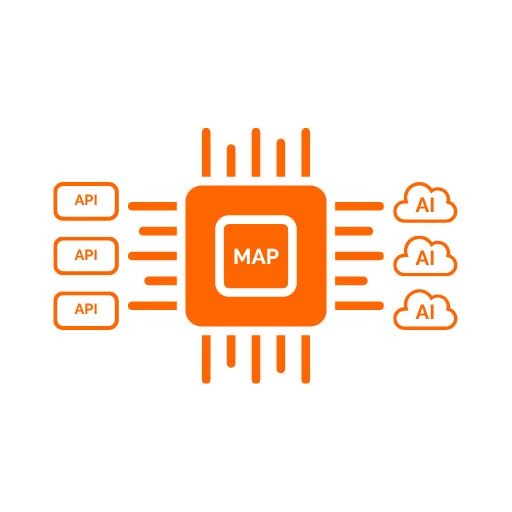
The ApiMapper SDK lets application developers integrate with the Runtime without writing any MCP or HTTP plumbing. It handles session management, credential injection, tool pagination, and system prompt fetching. The calling code only needs to call three methods: get the system prompt, get the tools, and invoke a tool.
What The SDK Does
The SDK provides client libraries in four languages — .NET, TypeScript, Python, and Java — that all expose the same conceptual interface:
- Get system prompt — fetches the effective system prompt from the Runtime and caches it for the lifetime of the client
- Get tools — loads the full tool catalog published by the Runtime, handling MCP pagination internally
- Invoke tool — calls a single tool by name and returns its result
Each client can also tag the work it triggers with the calling application's own correlation identifier. See Correlation IDs.
In addition, each language provides orchestrator adapters that convert the tool list into the native format expected by popular AI frameworks: Microsoft.Extensions.AI, Semantic Kernel, Azure AI Foundry Agents, OpenAI, LangChain, LangGraph, and Spring AI.
Authentication
The SDK supports three authentication modes. The choice is made once at registration time — all subsequent calls use it transparently.
| Mode | When to use |
|---|---|
| API key | Simplest option; key issued from the ApiMapper Portal; no IdP required |
| OAuth2 client credentials | Machine-to-machine; SDK fetches and refreshes tokens from an IdP automatically |
| Delegated bearer token | Token already held by the orchestrator or request pipeline; forwarded as-is |
System Prompt Injection
Every example and orchestrator adapter follows the same pattern: fetch the system prompt first, then inject it as the system message before sending any message to the LLM. The Runtime computes the effective prompt per tenant and client application, so different callers can receive different prompts from the same toolset.
Correlation IDs
An application usually already has a trace or request identifier of its own. Each SDK can send that
value to the Runtime as X-Correlation-Id, and the Runtime records it as the external correlation
ID against the execution ID it generates for the call. An operator can then start from an
identifier the calling system already knows and retrieve every platform audit record for that work,
in both the governance explorer and the Call Flow explorer.
The caller's value never becomes the execution ID — the Runtime always generates that itself.
There are two ways to supply it, and the per-call value wins:
| Mechanism | Use when |
|---|---|
| Correlation ID provider — a callback on the client options, invoked once per request | Every call made in a given context should carry the same ambient trace ID. Back it with Activity.Current, AsyncLocalStorage, a ContextVar, or MDC. |
| Per-call argument on the invoke method | One specific tool call needs its own identifier. |
// .NET — ambient, plus a per-call override
opts.CorrelationIdProvider = () => Activity.Current?.TraceId.ToString();
await client.InvokeToolAsync("crm-lookup", args, correlationId: "order-4711");
// TypeScript
correlationIdProvider: () => asyncLocalStorage.getStore()?.traceId,
await client.invokeTool("crm-lookup", args, "order-4711");
# Python
ApiMapperClientOptions(correlation_id_provider=lambda: trace_id.get(None), ...)
await client.invoke_tool("crm-lookup", args, correlation_id="order-4711")
// Java
.correlationIdProvider(() -> MDC.get("traceId"))
client.invokeTool("crm-lookup", args, "order-4711");
Accepted values
The Runtime treats the header as untrusted input and accepts it only as a short opaque identifier: at
most 128 characters, and letters, digits, and - _ . : / + = @ # only. Anything else — control
characters, header-splitting sequences, free-form sentences — is discarded rather than truncated, and
the call proceeds with no external correlation ID recorded.
The Runtime echoes the value it accepted on X-External-Correlation-Id. Every SDK compares that
against what it sent and logs a warning when they differ, so a rejected identifier does not vanish
silently.
This field carries an identifier and nothing else. No prompt content is accepted, stored, or processed through it.
Propagation to downstream APIs
Whether the downstream API behind a tool receives the execution ID, the caller's correlation ID, both, or neither is a server-side decision configured per toolset — no SDK setting affects it. See Portal Toolset Management.
Functional Capabilities
Quick Start
.NET
dotnet add package CodedProjects.AI.ApiMapper.Client
builder.Services
    .AddApiMapperClient(opts =>
    {
        opts.BaseUrl               = configuration["ApiMapper:BaseUrl"];
        opts.TenantId              = Guid.Parse(configuration["ApiMapper:TenantId"]);
        opts.ClientId              = "my-app";
        opts.SystemPromptResourceUri = "apimapper://toolsets/system-prompt";
    })
    .WithApiKey(configuration["ApiMapper:ApiKey"]);

// In your service or endpoint:
var systemPrompt = await client.GetSystemPromptAsync();
var tools        = await client.GetToolsAsync();
var result       = await client.InvokeToolAsync("tool_name", new { param = "value" });
TypeScript
npm install @codedprojects/api-mapper-client
const client = new ApiMapperClient({
  baseUrl:                 process.env.APIMAPPER_BASE_URL!,
  tenantId:                process.env.APIMAPPER_TENANT_ID!,
  clientId:                "my-app",
  systemPromptResourceUri: "apimapper://toolsets/system-prompt",
  credentials:             new ApiKeyCredentialProvider(process.env.APIMAPPER_API_KEY!),
  logger:                  console,
});

const systemPrompt = await client.getSystemPrompt();
const tools        = await client.getTools();
const result       = await client.invokeTool("tool_name", { param: "value" });
Python
pip install api-mapper-client
async with ApiMapperClient(ApiMapperClientOptions(
    base_url=os.getenv("APIMAPPER_BASE_URL"),
    tenant_id=uuid.UUID(os.getenv("APIMAPPER_TENANT_ID")),
    client_id="my-app",
    system_prompt_resource_uri="apimapper://toolsets/system-prompt",
    credentials=ApiKeyCredentialProvider(os.getenv("APIMAPPER_API_KEY")),
)) as client:
    system_prompt = await client.get_system_prompt()
    tools         = await client.get_tools()
    result        = await client.invoke_tool("tool_name", {"param": "value"})
Java
<dependency>
  <groupId>com.codedprojects</groupId>
  <artifactId>api-mapper-client</artifactId>
  <version>1.1.0</version>
</dependency>
var opts = ApiMapperClientOptions.builder()
    .baseUrl(System.getenv("APIMAPPER_BASE_URL"))
    .tenantId(UUID.fromString(System.getenv("APIMAPPER_TENANT_ID")))
    .clientId("my-app")
    .systemPromptResourceUri("apimapper://toolsets/system-prompt")
    .credentials(new ApiKeyCredentialProvider(System.getenv("APIMAPPER_API_KEY")))
    .build();

try (var client = new ApiMapperClient(opts)) {
    var systemPrompt = client.getSystemPrompt().get();
    var tools        = client.getTools().get();
    var result       = client.invokeTool("tool_name", Map.of("param", "value")).get();
}