Runtime
Purpose
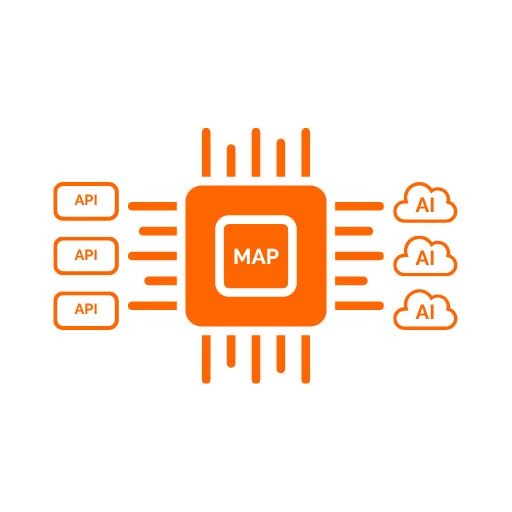
The Runtime is the AI-facing execution surface of the platform. It exposes published mappings as discoverable tools and executes governed calls to downstream APIs.
Functionally, it is the component that turns administrative configuration into live AI tool behavior.
What The Runtime Does
The Runtime supports three main activities:
- presenting a tool catalog to AI clients
- accepting tool invocations
- enforcing security, governance, and transformation rules during execution
It works per tenant and per client application, so different callers can see different tool catalogs and different effective behavior.
Main Runtime Flow
When an AI client uses the Runtime, the flow is:
- The caller identifies a tenant and client application.
- The Runtime builds or loads a configuration snapshot for that scope.
- The Runtime lists only the tools that are published and assigned to that client application.
- When a tool is invoked, the Runtime authenticates the caller and evaluates governance policy.
- The Runtime resolves any downstream credentials required by the tool.
- The Runtime transforms the AI-facing input from the mapped
ExposedFieldNamecontract into the downstreamSourceFieldNamerequest shape. - The Runtime invokes the downstream HTTP or SOAP endpoint.
- The Runtime transforms the downstream response from
SourceFieldNamepaths back into the AI-facingExposedFieldNameoutput shape. - The Runtime records governance and trace information for the execution.
Functional Capabilities
Detailed documents for each Runtime area:
- Runtime Tool Discovery
- Runtime Tool Invocation
- Runtime Authorization
- Runtime Credential Resolution
- Runtime Downstream Invocation
- Runtime Configuration Snapshots
- Runtime Protocols And MCP Support
- Runtime Governance
- Runtime Request And Response Logging
Tool Discovery
The Runtime can list the published tools available for a given tenant and client application.
These tools are generated from:
- approved and published mappings
- active MCP toolsets
- selected endpoint exposure definitions
- client application assignments
The discovery response also respects the effective schema discovery mode resolved for each endpoint. Toolsets can expose tools in Full, DataStructureOnly, or Lazy mode, with endpoint-level overrides taking precedence over the toolset default.
Tool Invocation
The Runtime invokes tools by resolving them back to the mapped downstream endpoint and then executing the full transformation and downstream call flow.
Functionally this includes:
- request validation
- request transformation
- downstream invocation
- response transformation
- response validation issue reporting
Runtime Authorization
The Runtime applies default-deny governance. If no enabled policy matches the tool and caller combination, access is denied.
Supported policy dimensions include:
- allowed token issuer
- allowed client IDs
- allowed roles
- allowed scopes
- allowed groups
- custom claim requirements
For browser-capable clients that use OAuth Authorization Code + PKCE, the Runtime authorization journey is now completed through the Portal login application:
- the authorization request is handed off to Portal.Web for operator sign-in
- external identity provider sign-in and MFA are supported in the same flow
- the operator reviews the requesting application details in a dedicated consent step
- an already-authenticated operator must still explicitly confirm access before the authorization callback is completed
Credential Resolution
The Runtime supports multiple ways to obtain downstream credentials, including:
- direct bearer token passthrough
- secret-backed API keys
- secret-backed basic authentication
- secret-backed static bearer tokens
- templated client credentials flows
- templated token exchange flows
- mTLS client certificate authentication
- workflow-based credential assembly
Credential resolution can use:
- managed secrets stored by the platform
- Azure Key Vault-backed secrets
- configured secret providers such as environment, configuration, and file-based resolution
- workflow-produced values reused across multi-step credential assembly
Downstream Invocation
The Runtime is designed for governed downstream execution against REST and SOAP APIs.
Functionally it supports:
- outbound HTTP request execution
- SOAP envelope construction and SOAP response normalization
- target-system base URL usage
- endpoint-specific authentication binding
- guarded redirect handling
- outbound host allowlist enforcement
- multipart request construction for binary inputs when required by the mapped contract
Runtime Configuration Snapshots
The Runtime builds tenant and client-specific snapshots from platform configuration. These snapshots combine:
- mappings
- toolsets
- client application assignments
- target systems
- authentication profiles
- credential workflows
- tool access policies
Snapshots are cached in a two-layer model: an in-process memory cache (L1) and a distributed cache (L2). Cache entries are invalidated either through event-driven updates when administrative configuration changes, or through database version-stamp checks on each read. This lets the Runtime behave as a stable, pre-composed execution layer while remaining consistent with the latest published configuration.
Snapshot scope also controls effective MCP prompt behavior. A toolset's exposed prompt can differ per client application because the Runtime composes the toolset default prompt, the optional client-application prompt, and any assignment-specific append or override prompt settings into the final resource content.
Protocols Supported
The Runtime currently exposes:
- REST endpoint for runtime version
- REST endpoint for tool listing
- REST endpoint for direct tool invocation
- MCP JSON-RPC 2.0 endpoint
The Runtime MCP surface is compliant with the MCP 2025-11-25 specification. Supported MCP methods:
| Method | Purpose |
|---|---|
initialize |
Handshake — returns protocol version 2025-11-25, capabilities, and server info |
ping |
Keepalive — returns an empty object {} |
tools/list |
Returns the paged tool catalog with cursor-based pagination |
tools/call |
Invokes a named tool with the supplied arguments |
resources/list |
Returns the paged resource list (toolset system prompts) |
resources/read |
Reads a specific resource by URI |
prompts/list |
Returns the paged prompts list (user-controlled toolset prompt discovery) |
prompts/get |
Reads a named prompt and returns it as a messages array suitable for slash-command use |
MCP Resources vs MCP Prompts
Both surfaces expose toolset system prompt content but serve different consumption models.
- Resources (
resources/list/resources/read) are application-controlled: MCP clients attach the content as system context automatically. - Prompts (
prompts/list/prompts/get) are user-controlled: clients expose them as slash commands or menus, giving the user explicit control over when the prompt is applied.
A toolset appears in both surfaces as long as it has a non-null effective system prompt and at least one active authorized tool.
Tool Annotations
Every tool descriptor in tools/list can carry optional behavioral annotation hints following the MCP specification:
| Annotation | Meaning |
|---|---|
readOnlyHint |
The tool does not modify state |
destructiveHint |
The tool may delete or irreversibly alter state |
idempotentHint |
Repeated calls with the same input produce the same result |
openWorldHint |
The tool may interact with external systems outside the server's knowledge |
Annotations are not mechanically derived from HTTP method. They are sourced from the LLM enrichment pipeline or set manually by an administrator and represent intentional behavioral declarations. Toolsets can override annotations per endpoint, with the override taking precedence field-by-field over the mapping-level value.
The discover_tool_schema meta-tool always carries hardcoded readOnlyHint: true, destructiveHint: false, idempotentHint: true, openWorldHint: false.
Cursor-Based Pagination
All MCP list methods (tools/list, resources/list, prompts/list) support cursor-based pagination. The page size for each list is configurable under Runtime:Cache:McpToolsPageSize, Runtime:Cache:McpResourcesPageSize, and Runtime:Cache:McpPromptsPageSize. A value of 0 disables pagination and returns the complete list in a single response.
Cursors are opaque base64url-encoded integer offsets. The server returns a nextCursor field when more items remain. Clients pass the received value as the cursor parameter on the next call. A malformed or out-of-range cursor results in a JSON-RPC InvalidParams error.
When any visible tool uses reduced or placeholder schema discovery, the MCP surface also injects the discover_tool_schema meta-tool. The Runtime uses both tool descriptions and effective system prompt resources to instruct LLM callers to hydrate full schemas before first use of tools that expose _schema_discovery.
Supported Tool Model
The Runtime exposes tools derived from published mapping endpoints. In practice, that means:
- tool names come from mapping and MCP toolset configuration
- tool inputs are generated from mapped endpoint schemas using the exposed field names defined for AI clients
- tool outputs are normalized from downstream responses and returned using the exposed field names defined in the mapping
- tools are filtered by tenant and client application assignment
Supported Integrations
The Runtime currently integrates with:
- trusted external token issuers for runtime authentication
- Microsoft Entra ID-related identity trust through configured providers and claim mappings
- Azure Key Vault for secret-backed execution
- downstream HTTP and SOAP APIs registered as target systems
Platform Data Store Support
The Runtime reads its published configuration and governance data from the shared platform database. This shared data model is what the Runtime uses to resolve tool visibility, downstream bindings, authorization policy, and governance behavior.
Governance In The Runtime
The Runtime is where platform governance becomes active execution control.
It provides:
- policy-based authorization before tool execution
- audit event generation for runtime activity
- correlation-aware call tracing with per-step timing
- request/response payload capture for tools with logging enabled
- distinct monitoring for tool list, resource read, schema discovery, and tool invocation activity
- configurable audit event filtering through event patterns and suppressions
- request throttling and authentication protection
- visibility into execution status and validation outcomes
This is the component that makes the platform suitable for controlled enterprise AI tool exposure rather than simple API proxying.