Portal API Onboarding
Purpose
This functional area is where downstream API contracts first enter the platform.
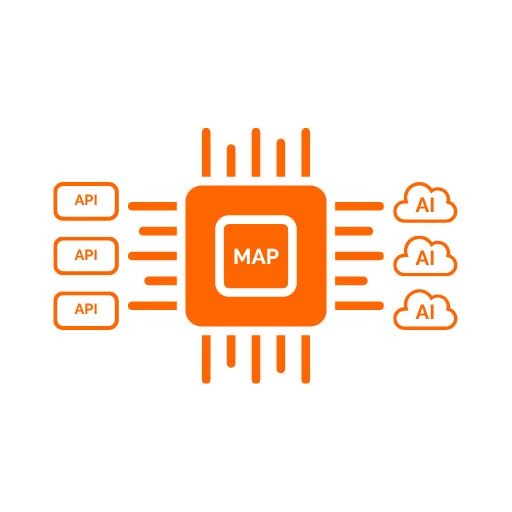
Its job is to capture API definitions in a form that can later be transformed into mappings and AI-facing tools.
Main Capabilities
- import OpenAPI documents from URL
- import OpenAPI documents from raw content
- import SOAP/WSDL documents from URL
- import SOAP/WSDL documents from raw content
- import OData v4 (CSDL) documents, including Microsoft Graph, from URL or raw content
- choose the
GenericorMicrosoftGraphimport dialect for OData sources - preview the full candidate operation catalog before anything is persisted, for any protocol
- filter and explicitly select which operations to keep on large contracts
- store imported API metadata
- inspect imported operations, schemas, and protocol metadata with an expandable per-operation accordion
- rename imported API records
- refresh legacy OpenAPI imports into the current contract model
- copy or download the full API record as JSON
- delete imported API definitions
- group related API versions into a family
- import new API versions into an existing family
- view all revisions within a family and promote a version as current
- compare two API versions for compatibility
Import Sources
The Portal supports onboarding from:
- a remote OpenAPI, SOAP/WSDL, or OData/CSDL document URL
- direct document content supplied by an operator
This makes the platform flexible for both connected and manually managed onboarding scenarios.
Importing OData And Microsoft Graph APIs
OData v4 services described by CSDL — including Microsoft Graph — import through the same modal used for OpenAPI and SOAP/WSDL. The platform auto-detects OData/CSDL content; administrators additionally choose an import dialect and, when needed, tune how much of the metadata surface gets generated:
- Dialect —
Generic ODatafor standard OData services, orMicrosoft Graphfor Graph-specific naming, permission hints, and conservative v1.0-only defaults - Service root URL / metadata document URL — optional explicit values used when they can't be inferred from the import source
- Generate operations for — toggle entity sets, singletons, actions, functions, and navigation properties independently; navigation traversal is off by default to prevent combinatorial explosion on large Graph-style metadata
- Namespace / entity set / path-prefix allow-lists — restrict generation to a subset of the metadata surface up front, before curation even sees the candidates
- Max generated operations — a hard ceiling on how many candidate operations the importer will produce before curation even runs
These allow-lists are the only curation controls exposed for OData: they narrow what the importer generates from the metadata up front, before the operator ever sees the candidate list, which matters because a large OData/Graph service can otherwise expand into an unmanageable number of entity-set CRUD operations. Final selection from whatever gets generated still happens through the checkbox-based preview described below.
Entity sets and singletons generate a constrained, predictable operation surface: list, create, read-by-key, update, and delete — automatically skipping create/update/delete when the source metadata marks the entity set read-only for that action.
Collection Responses And Paging
An OData service does not return a plain list for a collection. It returns an envelope: the entities sit under a value property, next to annotations describing the result. The imported contract models that envelope, so the mapping's response fields are addressed under value and a list tool returns the entities the service actually sent.
Two annotations are imported alongside them and can be mapped like any other field:
@odata.nextLink— present only when the service truncated the result. Mapping it lets an AI client page through a large collection; without it, a truncated result silently ends at the first page@odata.count— present only when the operation was called with$count=true
If an OData or Microsoft Graph API was onboarded before this response envelope handling was introduced, its mappings may address response fields at the wrong level and return empty results from list tools. Re-import the metadata document and re-seed the mapping to correct it; existing mappings are not rewritten automatically, because the field paths in a published mapping belong to whoever authored them.
Previewing And Curating Large Contracts
Every import — OpenAPI, SOAP/WSDL, or OData — now goes through the same optional preview step before anything is persisted, so large contracts remain manageable regardless of source protocol.
- Preview operations runs the same import without saving anything, and returns the full candidate list: every operation the importer would generate, whether it's currently included, and why it was excluded when it isn't (denied by a filter, past the configured operation limit, and so on)
- Each candidate can be checked or unchecked individually, with Select all / Select none shortcuts
- Use this selection switches the import to explicit selection mode and carries the checked operations into the advanced options; the normal Import button then persists only that set
- Very large contracts — those whose generated operation count exceeds a configured threshold — require an explicit selection before a real (non-preview) import will be accepted; attempting to import without one returns a validation error directing the operator back to the preview flow
This is the same curation mechanism for every protocol: an oversized OpenAPI document or WSDL service portfolio is subject to the identical preview/filter/select workflow as an OData or Microsoft Graph import. The checkbox-based preview selection (plus, for OData, the generation-time allow-lists above) is the supported way to curate large contracts down to the operations you need.
Captured Information
When an API is onboarded, the platform stores functional information such as:
- API identity and naming
- source reference
- protocol type and protocol version
- contract kind
- import-time informational messages and detected capability flags
- protocol-specific metadata
- OpenAPI version details when applicable
- the import dialect and provider for OData sources (
Generic/MicrosoftGraph) - server information
- operation count and, when the contract was curated or truncated, the generated count and truncation indicator
- schema count
This gives administrators a normalized view of the downstream API before building mappings.
Path Parameters
Operations whose path contains a placeholder — /documents/{documentId} — need that placeholder declared as a path parameter by the contract, so the generated tool can expose an input for it. Without one the tool cannot be called at all: the caller has no field to fill and the runtime has no value to substitute into the URL.
Contracts declare these in one of two places: on the operation, or once on the path so that all of its operations share them. Both are imported. When a contract uses a placeholder it never declares, the import reports a warning naming the affected operations and the missing keys, so the gap is visible before any mapping is built rather than at the first call.
Import warnings appear in three places: in the import preview before the API is committed, as a warning indicator with a count on the imported APIs list, and in the Import review panel of the imported API's detail view, where they are listed separately from informational import messages.
Inspecting An Imported API
Opening the summary for an imported API shows a two-column detail view alongside a collapsible operation accordion.
Each operation in the accordion displays:
- the invocation method as a color-coded badge
- the source path
- the protocol-specific operation key and display name when available
- the operation ID and summary
- tags associated with the operation
- the full description when the section is expanded
When the imported contract is SOAP-based, the detail experience also surfaces protocol-specific information such as SOAP action, service, port, binding, SOAP version, target namespace, request body root, and discovered SOAP headers.
When the imported contract is OData-based, the detail experience surfaces the entity set or singleton name, EDM type, operation kind (list, create, read, update, delete, function, action, or navigation), which OData query options the operation supports, and — for Microsoft Graph — permission hints and resource scopes.
Query options on navigation operations. Which options an operation offers is read from the metadata's own capability annotations on the collection being addressed. Where a navigation property does not say which collection it leads to — Microsoft Graph's metadata generally does not — a Microsoft Graph import assumes the options Graph supports on collections generally: $filter, $select, $expand, $orderby, $top, $skip, $count and $skiptoken. $search is excluded, because Graph does not accept it on every collection. A Generic OData import assumes nothing in that situation and generates only the path parameters, since declaring an option the service does not implement produces a parameter every call is rejected for.
Operation schema inspection is protocol-aware. The stored operation contract can include:
- non-body parameters
- request body schema
- response schemas by status or message type
- protocol-specific headers
- fault schemas
- protocol metadata per operation
This lets administrators quickly audit the operations that will be available for mapping before creating a proposal.
The summary modal also provides Copy JSON and Download JSON actions that export the full API record as formatted JSON, useful for debugging or external review.
Import Maintenance
Imported API records can be maintained after the initial import.
Administrators can:
- rename an imported API to better match business terminology
- refresh older OpenAPI imports so they use the current protocol-aware metadata model
This helps keep onboarding records aligned with current mapping and runtime behavior without recreating the import from scratch.
API Family Versioning
When downstream APIs evolve, the platform tracks those changes as a versioned family of imported API definitions rather than isolated records.
A family groups multiple imports of the same logical API so administrators can compare versions, control which version is active, and create new mapping versions targeted at specific API releases.
Importing A New API Version
When importing a follow-up version of an API that was already onboarded, administrators use the Add new version action on the existing API card rather than the top-level import flow.
The modal is the same as the standard import form with two additional fields:
- Version label — a short label that identifies this revision (for example
v2or2024-12-01). When left blank the platform derives a label from the OpenAPI document's owninfo.versionfield, falling back tov1if none is present. - Set as current version — when checked, the new import immediately becomes the active version for the family. Existing mappings are not affected automatically; administrators must create a new mapping version targeted at the new API version if they want to pick up changes.
The first time a new version is added to a standalone API record the platform automatically creates a family, migrates the original import into it, and derives an initial version label for the original record.
Family Versions Panel
Each API card that belongs to a family shows a Versions panel listing all revisions in the family with:
- the version label
- import date
- whether the revision is the current version
- a Set as current action to promote any revision
Setting a revision as current marks all other revisions in the family as non-current. Only the current version is suggested as a default target when creating new mapping versions.
Version Compatibility View
Selecting two revisions and choosing Compare versions opens a compatibility report showing:
- operations that are new in the target revision
- operations that were removed relative to the source revision
- operations that exist in both revisions (no breaking change for those operations)
This gives administrators an early signal of which mappings may need updating before they promote a new version.
Delete Protection
An imported API definition cannot be deleted if any mapping version has been seeded from it. This prevents silent breakage in the mapping catalog. Administrators must remove or reroute the dependent mapping versions before the API record can be deleted.
Why This Area Matters
API onboarding is the starting point of the platform's value chain.
It enables the next stages:
- mapping proposal generation
- endpoint selection
- tool publication
- downstream runtime execution
Without onboarding, there is no source contract for the rest of the platform to transform.